Everfi Login 2026: Student, Clever, Teacher & Employee Guide
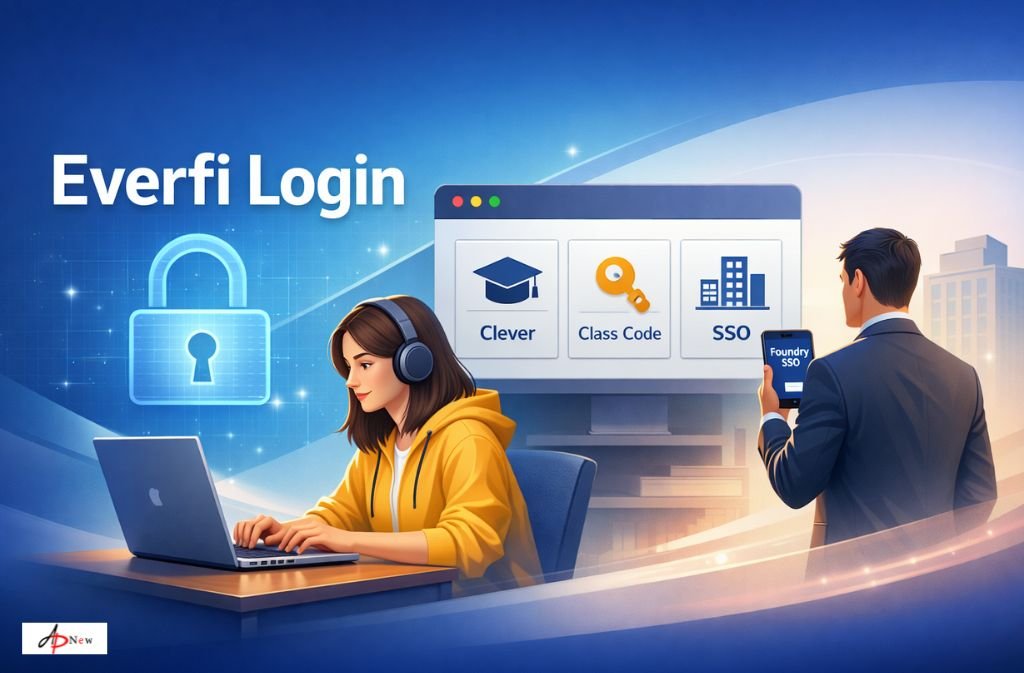
TL;DREverfi does not have one universal login. |
Five minutes before a deadline is when Everfi login issues always seem to show up. You type your email, reset your password, refresh the page—and suddenly Everfi says your account doesn’t exist. Panic sets in. People start clicking on everything.
Here’s the truth: Most pages don’t explain: Everfi is not a single login system.
It’s a platform connected to school SSO tools (like Clever and ClassLink), employer identity systems, and separate databases for K-12, higher education, and workplace training.
That’s why searching everfi login is less about credentials and more about choosing the correct door.
This guide does not replace the Everfi login page — it helps you choose the right one and fix access problems when login fails. It’s updated for 2026 systems, including Clever, ClassLink QuickCards, Foundry, and modern browser requirements.
If Everfi feels like it’s ghosting you, keep reading. The system is working — just not the way users expect.
Everfi Login Pages Explained (So You Don’t Click the Wrong One)
This section alone fixes most “Everfi login not working” searches.
Everfi Student Login (Direct Account)
Best for
-
College students
-
Independent learners
-
Programs that provided a class code
Not for
-
K-12 students using Clever or ClassLink
If you’re a Clever student, resetting your Everfi password here will not work.
Everfi Clever Login (Most K-12 Students)
Best for
-
Elementary, middle, and high school students
-
District-managed accounts
How it works
You log into Clever → click Everfi → access courses automatically.
Important
Clever-managed Everfi accounts do not use passwords.
Trying to “fix” the login by resetting it usually makes things worse.
This is where most students panic and assume Everfi is down. It isn’t.
Everfi Teacher Login
Best for
-
Teachers
-
School administrators
-
Counselors managing course assignments
Teacher accounts are usually provisioned by the district. If your login works but students see no courses, the issue is often course publishing, not credentials.
Everfi Employee Login (Workplace & Compliance)
Best for
-
Employees completing compliance or financial literacy training
-
Corporate or nonprofit programs
In 2026, most of these logins run through Foundry and employer SSO.
K-12 Everfi accounts and workplace Everfi accounts live in separate databases.
Which Everfi Login Page Is Legit?
This matters more than people admit.
Real Everfi-related domains include
-
everfi.com
-
clever.com (SSO access)
-
foundry.everfi.net (workplace & higher ed)
-
employer-specific subdomains
Why does Google sometimes show odd links
-
District portals
-
LMS mirrors
-
Legacy state education pages
If you’re ever unsure, start with your school or employer portal. Everfi rarely asks users to create accounts from scratch anymore.
Start Here: Everfi Login Decision Flow
Start here ↓
-
Are you in K-12?
-
Yes → Use Clever or ClassLink
-
No → Continue
-
-
Did you receive a class code?
-
Yes → Use Everfi student login
-
No → Ask your instructor
-
-
Are you an employee?
-
Yes → Use employer training link (Foundry)
-
Guessing almost always fails.
Why Everfi Is Designed This Way (Contrarian Insight)
Everfi prioritizes institutional control over user flexibility.
That’s why login paths are fragmented — and why guessing rarely works.
Schools and employers control:
-
Who can access courses
-
When access starts
-
Which identity system is authoritative
This design reduces fraud and data leaks, but it makes self-service logins confusing.
Also Check: Elida Schoology – A Smart Learning Platform for Students and Teachers
Why Everfi Is “Not Working” (What’s Really Happening)
“Everfi Says Account Doesn’t Exist”
Usually means:
-
You’re on the wrong Everfi system (K-12 vs Workplace)
-
Your SSO ID hasn’t synced yet
“Infinite Redirect / Login Loop”
Common causes in 2026:
-
Cookies blocked
-
VPN or “browser unblocker” enabled
-
Chromebook policies not refreshed
“SAML NameID Mismatch”
This is not a password issue.
It means your school or employer’s ID doesn’t match Everfi’s record. Only IT can fix this.
2026 Everfi Error Translation Table
| Error Message | What It Really Means | 2026 Fix |
|---|---|---|
| Account Not Found | Wrong Everfi database | Switch to correct portal |
| Login Loop | Cookies or VPN blocking SSO | Incognito / disable VPN |
| Class Code Expired | Old semester code | Request new code |
| SAML NameID Mismatch | SSO ID mismatch | Contact IT |
If You’re Locked Out of Everfi: Who Can Actually Fix It?
This saves hours.
-
Students → Teacher or school admin
-
Clever issues → School IT
-
ClassLink / QuickCards → District IT
-
Employees → HR or training admin
-
Everfi support → Limited without admin approval
Resetting passwords rarely helps if SSO is involved.
Special 2026 Login Cases
ClassLink QuickCards (Camera Login)
Many districts now use QR-based logins. Students scan the card and bypass usernames entirely.
Invisible Error: Logged In, No Courses
Usually means the teacher hasn’t published the course to your Clever dashboard yet.
Mobile App Confusion
Everfi no longer emphasizes standalone apps. Use the browser and Add to Home Screen (PWA).
Before You Try Again (Do This First)
-
❌ Don’t create a second account
-
❌ Don’t reset passwords if using Clever
-
❌ Don’t use a VPN on school networks
-
✅ Ask which login system your school uses
-
✅ Try incognito mode
FAQs
Q. How do I log into Everfi as a student?
Most K-12 students use Everfi Clever login. College students usually log in directly with a class code.
Q. Why can’t I log into Everfi as a student?
You’re likely using the wrong login method or your course hasn’t been assigned yet.
Q. Is the Everfi login the same for students and employees?
No. Workplace Everfi uses separate systems and databases.
Q. Does Everfi still use passwords?
Only for non-SSO accounts. Clever and ClassLink accounts are passwordless.
Q. What if Everfi lets me log in but shows nothing?
Your instructor hasn’t pushed the course yet.
Conclusion
Everfi login issues feel technical, but they’re usually directional. Once you choose the right path—Clever, class code, or employer portal—access is straightforward.
The biggest mistake is guessing. The fastest fix is confirming which system you belong to before trying again.
If this guide saved you from another login spiral, bookmark it. Everfi isn’t changing its structure anytime soon.







Post Comment