ADALM2000 Software: Your All-in-One Lab Tool for 2025
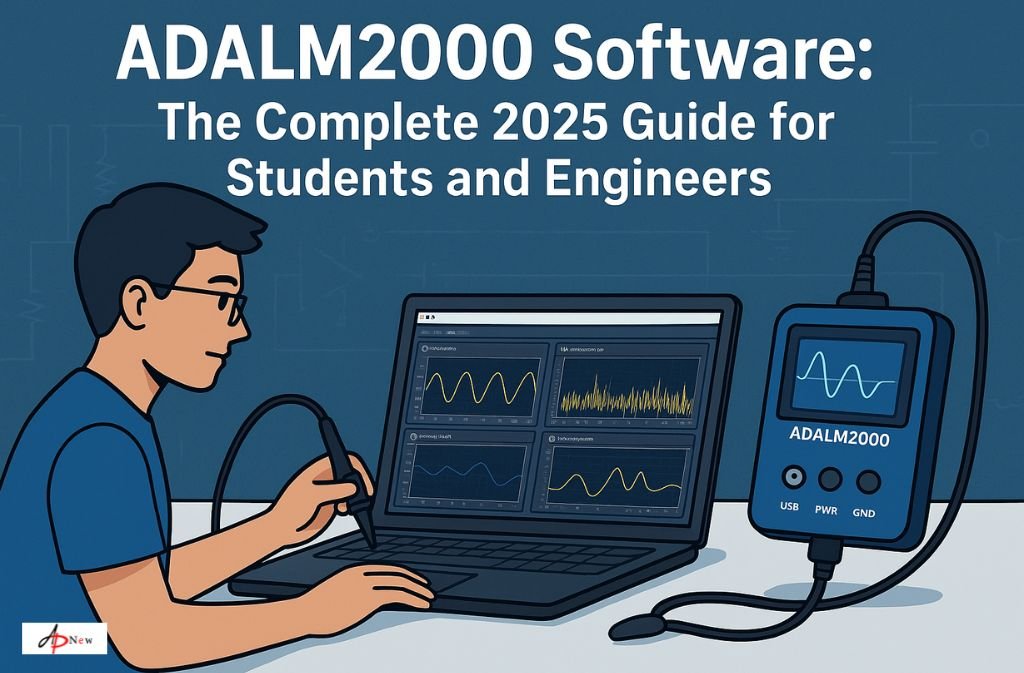
If you’ve ever wanted to see what’s really going on inside your circuits — the invisible dance of voltages, waves, and frequencies — the ADALM2000 turns that curiosity into something you can literally see and measure.
Developed by Analog Devices, the ADALM2000 (Active Learning Module) isn’t just another piece of lab hardware. When paired with the Scopy software, it becomes a full-fledged, portable laboratory — a spectrum analyzer, network analyzer, signal generator, and oscilloscope all in one. Whether you’re a university student, an electronics hobbyist, or a practicing engineer, the ADALM2000 software suite helps bridge the gap between theory and hands-on understanding.
Let’s unpack how this system works, what makes its software so versatile, and why it’s still one of the most valuable tools for real-world electronics education and rapid prototyping in 2025.
What Is ADALM2000 Software?
The ADALM2000 software primarily refers to Scopy, the open-source, cross-platform application designed to interface with the ADALM2000 hardware. Scopy acts as the brain and user interface, transforming your laptop or PC into a complete testing and measurement environment.
With Scopy, users can visualize signals, test components, and perform real-time measurements across a wide range of electronic applications — without bulky lab equipment.
Key Features of the ADALM2000 Software (Scopy)
- Oscilloscope: Visualize voltage signals across two channels up to 30 MHz bandwidth.
- Spectrum Analyzer: Measure frequency-domain characteristics with precision.
- Network Analyzer: Characterize filters, amplifiers, or antennas.
- Signal and Pattern Generator: Create sine, square, triangle, and custom waveforms.
- Logic Analyzer & Digital I/O: Observe digital logic signals and protocols like SPI, I²C, and UART.
- Power Supply: Dual programmable ±5V power outputs.
It’s this blend of analog and digital analysis capabilities that makes the ADALM2000 software such a flexible lab-in-a-box for both education and industry.
How ADALM2000 Software Bridges Learning and Application
When it comes to understanding electronics, theory only gets you so far. The ADALM2000 platform — powered by Scopy — helps learners transition from textbook knowledge to real-world experimentation.
For Students and Educators
In university courses and online labs, the ADALM2000 has become a go-to device for analog circuits, signal processing, and embedded systems labs. With Scopy’s intuitive interface, students can easily:
- Visualize signals from breadboard experiments.
- Test resistors, capacitors, transistors, and filters.
- Simulate lab experiments without needing a full bench setup.
Educators also benefit — labs can now be virtual or hybrid, with students performing experiments from home using ADALM2000 kits. This flexibility has redefined hands-on learning in STEM.
For Hobbyists and Professionals
For the tinkerer or design engineer, ADALM2000 software is equally powerful. You can use it to:
- Debug Arduino or Raspberry Pi circuits.
- Prototype analog front ends or test frequency responses.
- Analyze harmonic distortion or noise in audio circuits.
Think of it as your pocket-sized lab assistant. Lightweight, USB-powered, and open-source — it’s a dream setup for makers who want mobility without compromising capability.
Getting Started with ADALM2000 and Scopy
1. Download and Install Scopy
The official Scopy software can be downloaded from:
It’s available for Windows, macOS, and Linux, and installation is straightforward.
2. Connect Your ADALM2000
Once you connect the ADALM2000 to your computer via USB, Scopy automatically detects the device. The software interface then provides access to modules like Oscilloscope, Spectrum Analyzer, or Logic Analyzer.
3. Configure and Calibrate
Before starting your experiments, calibration ensures measurement accuracy. Scopy guides users through this process step-by-step.
4. Explore the Tools
You can switch between different tools in Scopy’s sidebar. For instance:
- Oscilloscope Mode: Measure voltage waveforms in real time.
- Spectrum Analyzer Mode: View FFT transformations to study frequency components.
- Network Analyzer Mode: Evaluate S-parameters of RF circuits.
This modular layout gives users control without overwhelming complexity — a big plus for beginners.
Why ADALM2000 Software Still Shines in 2025
In a world where electronic tools are getting smaller and smarter, ADALM2000 stands out because of its balance between accessibility and depth.
Here’s why it’s still a favorite:
- Open-Source Flexibility: Scopy’s open-source architecture means the community keeps improving it. Users can even write plugins to extend functionality.
- Portability: Unlike traditional lab instruments, you can take this anywhere — classroom, lab, or field.
- Cost Efficiency: At a fraction of professional lab equipment costs, it delivers 80% of the functionality most users need.
- Educational Support: Analog Devices provides comprehensive guides, tutorials, and open lab exercises.
- Community-Driven Development: The growing user base on forums like Reddit and Element14 continuously shares insights and custom scripts.
So whether you’re teaching Ohm’s Law or designing an amplifier, the ADALM2000 software ecosystem has something for everyone.
Advanced Use Cases and Real-World Examples
Example 1: Debugging a Microcontroller Project
A student building a temperature-sensing system with an Arduino can use the ADALM2000’s logic analyzer to verify digital signals, ensuring accurate data flow between sensors and the microcontroller.
Example 2: RF Filter Design
An engineer working on a low-pass filter can use the network analyzer feature in Scopy to plot frequency response curves — perfect for fine-tuning circuit behavior.
Example 3: Audio Signal Analysis
Musicians and sound engineers can use the spectrum analyzer to examine waveform purity or detect noise in audio equipment.
These are not just hypothetical examples — they represent how Scopy’s flexibility serves real-world innovation every day.
Common Challenges and Tips
Even the best tools come with a learning curve. Here are a few quick tips:
- Signal Clarity: Keep grounding clean and minimize interference by using short probe leads.
- Calibration: Regularly recalibrate the device for consistent results.
- Updates: Check the GitHub releases page for updates and bug fixes.
- Documentation: The University Wiki offers detailed tutorials and troubleshooting guides.
Pro tip: If you’re integrating ADALM2000 into custom setups, explore the M2K API, which allows direct control from Python or MATLAB.
ADALM2000 vs Traditional Lab Instruments
| Feature | ADALM2000 + Scopy | Traditional Lab Instruments |
|---|---|---|
| Portability | High | Low |
| Cost | Affordable (~$150–$250) | Thousands of dollars |
| Software Flexibility | Open-source, cross-platform | Proprietary |
| Tools Integrated | 10+ in one | Separate devices |
| Learning Curve | Easy for beginners | Moderate to high |
| Community Support | Strong (forums, GitHub) | Limited |
It’s not a replacement for high-end oscilloscopes, but for most academic and DIY needs, ADALM2000 offers unbeatable versatility.
The Bigger Picture: Why Open Tools Matter in 2025
The electronics world is shifting toward open hardware and software ecosystems — and the ADALM2000 software embodies that future. Empowering learners, hobbyists, and professionals to explore, tweak, and share helps democratize access to advanced measurement tools.
In a time when innovation often comes from small labs or bedroom setups, having tools like Scopy isn’t just convenient — it’s transformative.
FAQs
1. What software works with ADALM2000?
The main software is Scopy, developed by Analog Devices. Users can also interact with the device using custom scripts via Python, MATLAB, or LabVIEW.
2. Is Scopy free?
Yes. Scopy is completely free and open-source, available for download from Analog Devices’ GitHub page.
3. Can I use ADALM2000 on macOS or Linux?
Absolutely. Scopy supports Windows, macOS, and most Linux distributions.
4. What’s the bandwidth limit of ADALM2000’s oscilloscope?
The oscilloscope supports up to 30 MHz analog bandwidth, suitable for most educational and low-to-mid-frequency applications.
5. Is ADALM2000 suitable for professional use?
Yes. While it’s primarily designed for learning, many engineers and technicians use it for quick prototyping, debugging, and field analysis.
Final Thoughts
The ADALM2000 software transforms a simple learning kit into a professional-grade toolkit. It’s portable, precise, and perfectly positioned for the hybrid era of learning and rapid prototyping.
Whether you’re in a classroom discovering Ohm’s Law or fine-tuning a circuit in your home workshop, ADALM2000 and Scopy make the invisible world of electronics beautifully visible.
For more, visit: apnew.co.uk








Post Comment